Redrawn cursor, click effects, shortcut overlay
A cursor people can see.
The Windows cursor is tiny in a 4K frame, and every shaky hand movement shows. Glidewright keeps the cursor out of the recording and draws it again in the editor: larger, steadier, with a click effect.

How it works
- 1
While you record, the cursor stays out of the video. Glidewright stores its position, its shape (arrow, text cursor and so on) and every click.
- 2
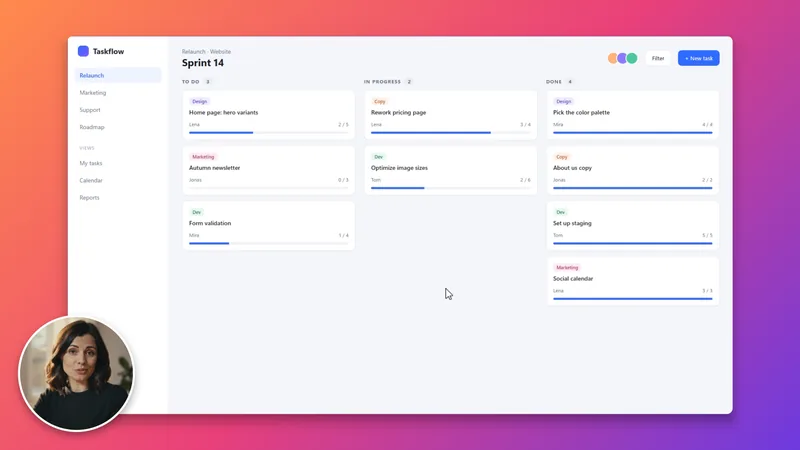
In the editor it draws the cursor on top, in its original shape, at the size you choose: 1× to 3×.
- 3
Smoothing (0–100 %) evens out the path. It runs afterwards over the whole recording, so the cursor never lags behind. At every click it sits exactly on the click position.
- 4
Pick a click effect: ring, pulse or off. Switch on the shortcut overlay if Ctrl + S and similar combinations should appear in the video.
Good to know
Clicks stay exact
Around each click (±150 ms) the smoothing blends back to the real path. The cursor does not drift off the button you clicked.
Fluid in the preview
Between recorded positions the cursor is interpolated. In the editor preview it moves at your monitor’s refresh rate, even with a 60 fps video.
Shortcut overlay
A pill like “Ctrl + S”, in the language of the app (“Strg + S” in German). Only combinations with Ctrl, Alt or Win are shown.
Single keys never
During recording the keyboard hook only checks whether a key is Ctrl, Alt or Win. Single keys, Shift + letter and AltGr are discarded and never reach the project.
Same picture in the export
Preview and export use the same GPU render path. Cursor, ring and overlay look the same in the exported file.
Fast jumps
Very fast jumps, for example between two monitors, look drawn out at high smoothing. Lower the smoothing for such recordings.
FAQ
Questions
Can I keep the cursor as it was?
Yes. Size 1× and smoothing 0 % give the original size and path. You can also hide the cursor completely.
Will my password show up?
Glidewright never stores the keys you type. But the screen itself is recorded: whatever is visible on screen is in the video.
Why aren’t shortcuts with Shift shown?
Shift + letter is just a capital letter. To make sure no text ends up in the project, only combinations with Ctrl, Alt or Win are kept.
Does the click effect work in Shorts and GIFs?
Yes. Every export uses the same render path, so cursor and click effect appear in every format.